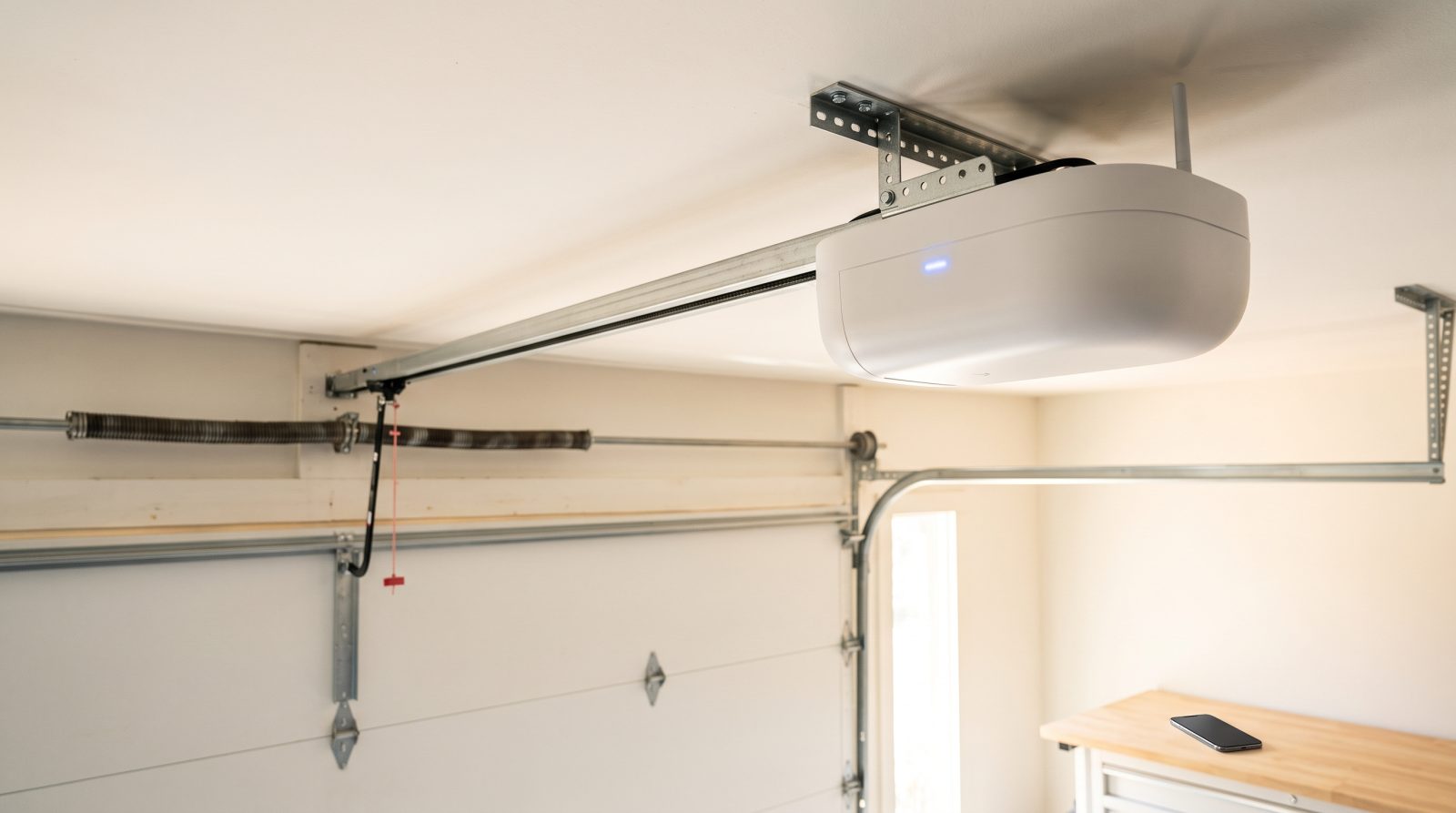
What "Smart" Actually Means on a Garage Door Opener
Strip away the marketing and a smart garage door opener does three core things a basic opener cannot: it connects to your home WiFi, it reports the door's status (open or closed) to an app, and it lets you trigger and schedule the door remotely. Everything else, voice control, delivery integration, license-plate recognition, is built on top of those three. Understanding that hierarchy keeps you from overpaying for features you will never open the app to use.
There are two fundamentally different ways to get there. A WiFi-native opener has the radio and logic board built in from the factory, so the motor itself is the smart device. A retrofit controller is a small box you mount near an existing opener; it wires into the same low-voltage terminals your wall button uses and adds a separate door sensor so the app knows the door's position. Both can give you phone control and alerts. The native unit is cleaner and better integrated; the retrofit is dramatically cheaper and keeps a perfectly good motor in service.
The status sensor is the quiet hero of any smart setup. Without a reliable open/closed sensor, the app is just a remote button with no memory, and you can never trust the "is my garage closed?" answer from across town. Whether built in or added, that sensor is what turns a remote into actual peace of mind, and it is the first thing worth confirming works correctly after any install.
- Core smart features: WiFi connectivity, real-time open/closed status, remote and scheduled control
- Two paths to smart: a WiFi-native opener (built in) or a retrofit controller added to your current opener
- A position sensor is what makes "is it closed?" trustworthy, not just a remote trigger
- Higher-tier extras (delivery access, geofencing, cameras) ride on top of those basics, they are not the foundation
WiFi-Native Openers vs. Retrofit Smart Controllers
If your current opener is older than roughly fifteen years, runs loud, or lacks the two photo-eye safety sensors near the floor, replacing it with a WiFi-native unit usually makes the most sense. You get modern safety hardware, a quieter motor, battery backup options that keep the door working in an outage, and an app that was designed for the motor rather than bolted on afterward. It is the cleaner long-term answer for a home you plan to stay in.
If your opener is newer, quiet, and reliable, a retrofit smart controller is often the smarter spend. These small add-on hubs connect to the opener's wall-button terminals and a door sensor, then bridge to your WiFi and an app. The catch is compatibility: many newer openers use a rolling-code or proprietary signal that simple universal controllers cannot trigger directly, so the controller has to either tap the wall-button circuit or pair through the manufacturer's own ecosystem. This is exactly the kind of detail worth confirming for your specific model before buying a box that may not talk to your motor.
There is also a middle path. Several major opener brands sell their own bridge accessory that adds app control to compatible recent units they already made. If your opener is the same brand and within the supported range, this is frequently the simplest and most stable upgrade, because the hardware was engineered to work together rather than reverse-engineered to cooperate.
- Replace with a WiFi-native opener if yours is aging, loud, or missing floor-level photo-eye sensors
- Retrofit a controller if your opener is newer, quiet, and you mainly want app access and alerts
- Verify your opener's signal type first, rolling-code and proprietary models limit which add-ons work
- A same-brand bridge accessory is often the most stable upgrade for a recent opener of that make
Drive Types: Belt, Chain, and Direct-Drive in a Sacramento Home
Smart features are independent of how the opener physically moves the door, but the drive type shapes daily livability, so it is worth choosing deliberately when you replace a unit. Belt-drive openers are the quietest, using a reinforced rubber belt instead of metal. For any garage that shares a wall or ceiling with a bedroom, an office, or an attached living space, belt-drive is usually worth the modest premium, especially if anyone in the house keeps different sleep hours.
Chain-drive openers are the traditional workhorse: more affordable, extremely durable, and a sensible pick for a detached garage or a shop where noise is not a concern. The trade-off is the familiar rattle, which travels through an attached house. Direct-drive and screw-drive systems sit between the two, with fewer moving parts in the case of direct-drive and a reputation for low maintenance, though feel and noise vary by model.
Sacramento's climate is the part many guides skip. Summers in the Valley regularly push attics and uninsulated garages well past 100 degrees, and that heat soaks into the opener's motor and electronics every afternoon. Belt-drive units handle heat well, but screw-drive lubrication and any plastic gear components are more sensitive to temperature extremes, so for a west-facing or poorly ventilated Sacramento garage, asking how a given model holds up in sustained heat is a fair and practical question.
- Belt-drive: quietest, best for garages attached to or below living space
- Chain-drive: budget-friendly and durable, fine for a detached garage or shop where noise doesn't matter
- Direct-drive and screw-drive: fewer moving parts or low maintenance, with noise and feel varying by model
- Valley heat matters: ask how a model tolerates sustained high-temperature attics and garages before choosing
Security, Privacy, and the Real-World Risks
A garage door is a full-size entry point to your home, often connected to the house through an interior door, so a smart opener deserves the same security thinking you would give a front-door lock. The good news is that the biggest practical risk is not exotic hacking; it is leaving the door open. The single most valuable smart feature for most households is the auto-alert (and optional auto-close) that catches the door you forgot to lower when you drove off, which is a daily mistake far more common than any break-in attempt.
On the connected side, sensible habits cover most concerns: use a strong, unique password on the opener's app account, enable two-factor authentication if the brand offers it, keep the controller's firmware updated, and put smart-home devices on a guest or IoT WiFi network separate from your computers when your router supports it. Be deliberate with shared access, too, the convenience of giving a code or app permission to a house cleaner, dog walker, or relative is real, but treat that access list the way you would a ring of physical keys and revoke it when it is no longer needed.
Privacy is worth a thought if your setup includes a camera or motion logging. Know where that footage lives, whether it is stored locally or in the cloud, and who can see it. None of this should scare you off a smart opener; the features genuinely make a home safer on balance. It simply means choosing a reputable system and spending five minutes on the security settings rather than accepting the defaults.
- The highest-value feature for most homes is the left-open alert and optional scheduled auto-close
- Use a unique password, enable two-factor authentication, and keep firmware current
- Isolate smart devices on a separate guest/IoT WiFi network when your router allows it
- Manage shared app access like physical keys, and revoke permissions you no longer need
What It Costs and Whether to Upgrade or Replace
Costs fall into clear tiers, and these are general industry ranges, not quotes for your home, since the right number depends on your existing equipment, wiring, and door. A simple retrofit smart controller is the least expensive route, typically a modest hardware cost plus a short professional setup if you want the sensor placement and app pairing done right. A same-brand bridge accessory for a compatible recent opener is similarly affordable. A full WiFi-native opener replacement is the larger investment, since you are paying for a new motor, modern safety sensors, and installation that includes removing the old unit and balancing the door to the new system.
The honest deciding factor is the condition of what you already own. If your current opener is quiet, reliable, and has working floor-level photo-eye sensors, adding smart control is almost always the better value, you keep good hardware and gain the features for a fraction of replacement cost. If the opener is loud, intermittently failing, predates modern safety sensors, or strains an unbalanced door, putting smart electronics on a tired motor is money spent on the wrong layer; replacement is the sounder choice.
One thing no opener can fix is a door that is out of balance or running on worn springs. Smart features control the motor, but the springs do the real lifting, and an opener forced to drag a poorly balanced door wears out faster and trips its safety reverse more often. Before any smart upgrade, it is worth having the door's balance, springs, cables, and rollers checked, because a smooth, well-tuned door is what makes a smart opener feel reliable instead of glitchy. As a mobile service across the Sacramento area, we can come to you, assess the whole system in your driveway, and help you decide between an upgrade and a replacement. Call or request a free quote and we will give you a straight answer for your specific setup.
- Retrofit controller or same-brand bridge: lowest cost, ideal when your current opener is in good shape
- Full WiFi-native replacement: larger investment covering a new motor, modern safety sensors, and install
- Upgrade vs. replace hinges on the condition of your existing opener, not just its age
- Check door balance, springs, cables, and rollers first, a well-tuned door is what makes a smart opener dependable